Naming
Introduction
In the digital workshops offered as part of this option, we naturally exchange a lot of files. In this context, we believe it is essential to name documents correctly and follow a clear naming convention that everyone adheres to. But why?
TL;DR
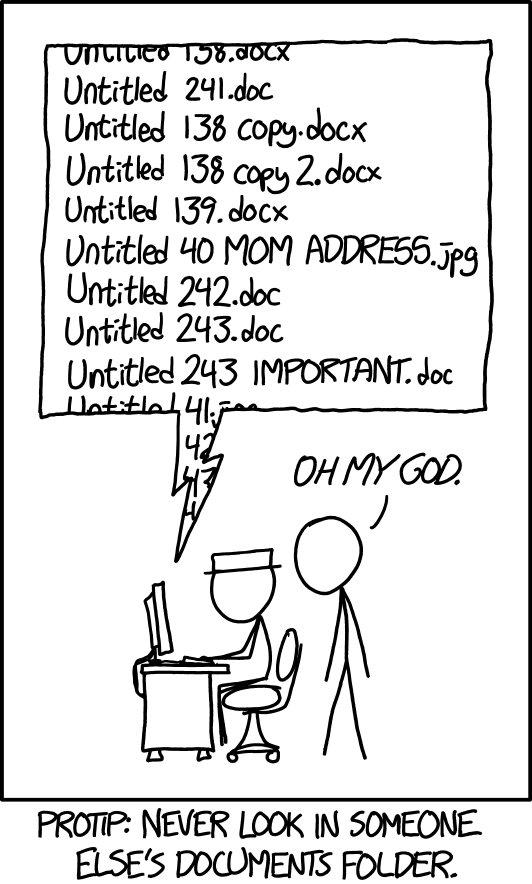
Because it is good practice, highly valued in the professional world (and beyond!). You often work with other people, and providing your colleagues with a clear file ensures greater peace of mind and efficiency for them, and vice versa. It is also an excellent way to stay organised and not get lost in your own “jungle”… This can happen quite easily in large-scale projects, especially creative ones: it’s well known that we prefer to spend more time on creation — which is natural — than on tidying up! But if we let ourselves go, it can quickly descend into chaos, and no one can find their way around anymore, including ourselves.
Double-clicking on each file (or looking at a preview) to check its contents (because the name doesn’t mean anything) is a waste of time, especially if the folder is complex and has a lot of items.

Long version
Naming files correctly using a clear naming convention is not only good practice, it is essential in a collaborative environment. It improves efficiency, productivity and the quality of teamwork, while minimising errors and frustrations related to file management. It is an investment that offers long-term benefits for everyone:
- Ease of search: A clear naming convention allows collaborators to quickly find the files they need. Rather than wasting time searching for obscure or generic file names, they can quickly identify the content they are looking for based on the file name.
- Efficient organisation: A consistent naming structure helps to organise files in a logical and intuitive way. This simplifies file management and prevents clutter, which is particularly crucial when many people are working on the same project.
- Reduction of duplicates: A clear naming convention reduces the risk of creating duplicate files. Collaborators are less likely to accidentally create similar or identical files with different names.
- Improved communication: When all team members use the same naming convention, communication becomes more efficient. Explicit file names help avoid misunderstandings and confusion about file content.
- Data security: A clear naming convention also helps to enhance data security. Files are less likely to be accidentally deleted or modified by people who do not understand their role or content.
- Scalability: As the project or team grows, a clear naming convention makes it easier to expand the file system. It is easier to add new folders and files while maintaining overall consistency.
- Remote collaboration: In the increasingly common context of remote working, a clear naming convention facilitates collaboration between people working remotely. It reduces dependence on verbal communication or face-to-face interactions to understand the file structure.
Another advantage, particularly relevant to our specific use in schools, is easier archiving. Thanks to automation using scripts, the file name can be “split” into several distinct parts and used, for example, to generate a folder hierarchy…

Our naming convention
Now that the introductions are out of the way, here is the nomenclature we use in the digital workshops of the Graphic Design option to name files. It uses a variant of the snake case notation style, replacing spaces with underscores:
BAC_Academic_Year_Term_TEACHER(S)_Project_NAME.ext
The name is composed of six main elements, explained below.
Breakdown
- BAC: your class in 3 characters, using the option designation (GR for Graphic Design) rather than the BAC designation.
- Example:
GR3 - To avoid:
BAC3
- Example:
- Academic Year: the current academic year, consisting of two calendar years written in 4 digits and separated by a conventional hyphen (
-).- Example:
2022-2023
- Example:
- Term: the current quadrimester, written in 2 characters (the letter
Qfollowed by the quadrimester number, without spaces).- Example:
Q1
- Example:
- TEACHER(S): the name(s) of the teacher(s) in charge of the project, preferably in capital letters, and separated by a hyphen (
-) if there are several.- Examples:
MATHE,MATHE-BROIDIOI
- Examples:
- Project: the name of the current project, without spaces but with each word capitalised (camel case notation style (https://fr.wikipedia.org/wiki/Camel_case)).
- Example:
CannedHitsReloaded
- Example:
- NAME: your own surname, preferably in capital letters.
- Example:
DENEUFBOURG - If there are several files, you can number them by adding
-01,-02,-03, etc. AFTER your name
- Example:
As for .ext, this is the file extension (e.g. .jpg).
Note that each element is separated by an underscore (
_). ** Do not use conventional hyphens (-): these are used as separators within the same element (e.g.2022-2023,MATHE-BROIDIOI, etc.).
Here is an example of a file name, using the information above:
GR2_2022-2023_Q1_MATHE_CannedHitsReloaded_DENEUFBOURG-01.jpg
You can see that, named in this way, the file clearly indicates its nature and where it belongs, without even having to open it (which is essential when dealing with a large number of files).
Conclusion
Now that the usefulness of consistent naming has been demonstrated, we hope that you will be keen to follow the method we use.
You can, of course, develop your own convention for your personal use, but in all exchanges concerning school projects, we ask you to comply with our method.
Thank you for reading this far :-)